Sign Up (Registration) Jova POS
1) Open the Main Page
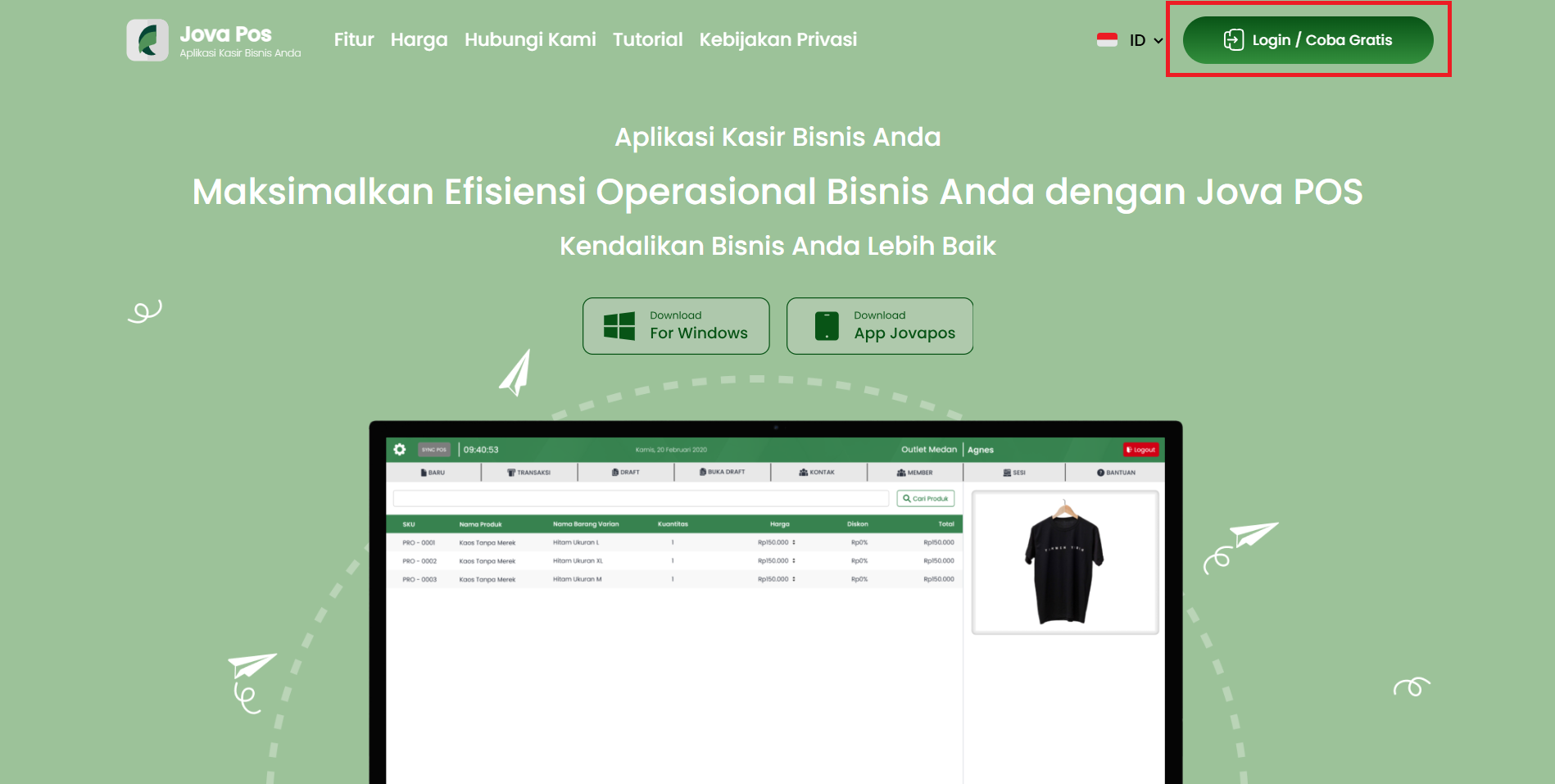
- Access the Jova POS website.
- Click the Login / Free Trial button in the top right corner.
2) Start Registration
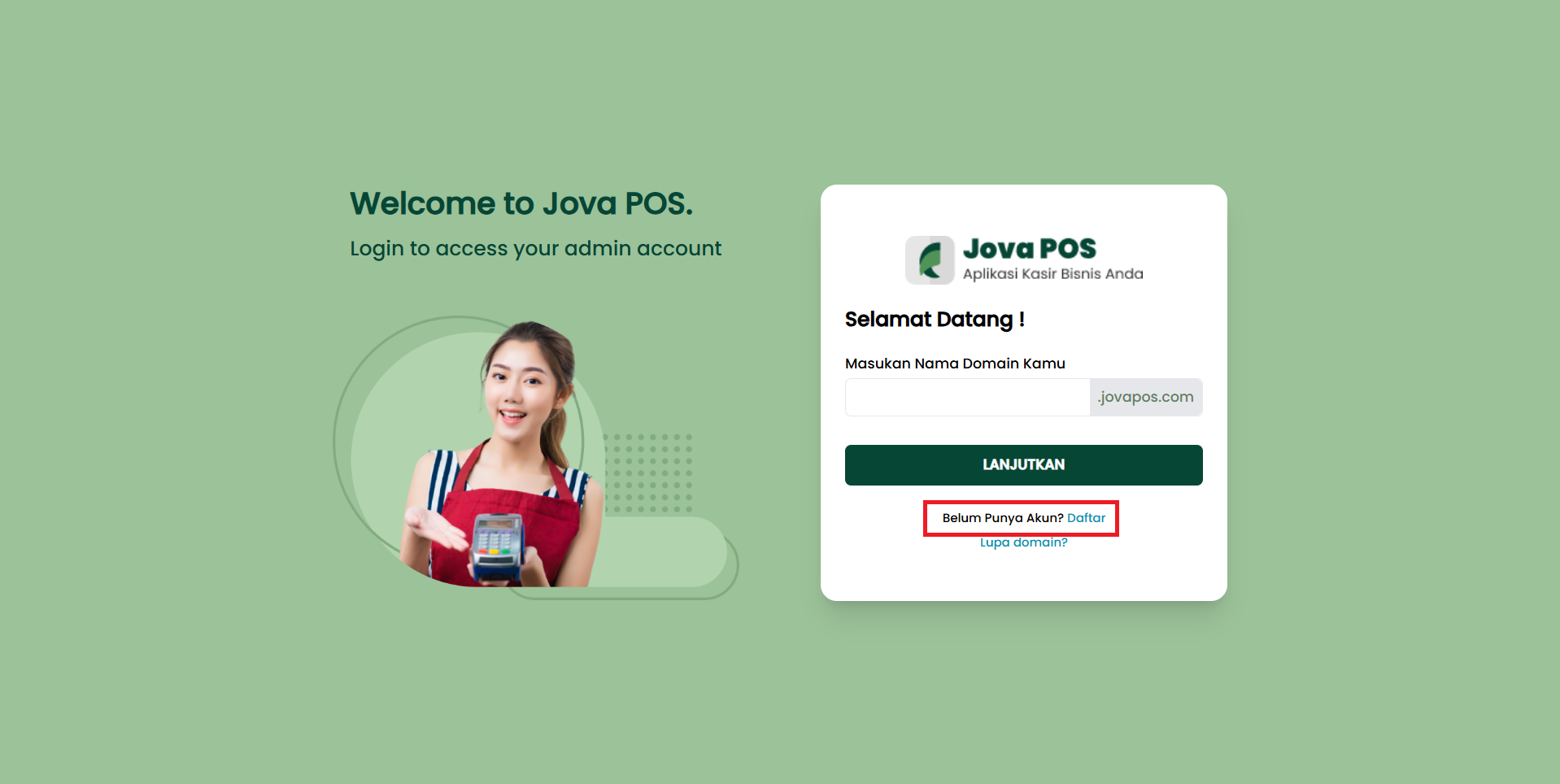
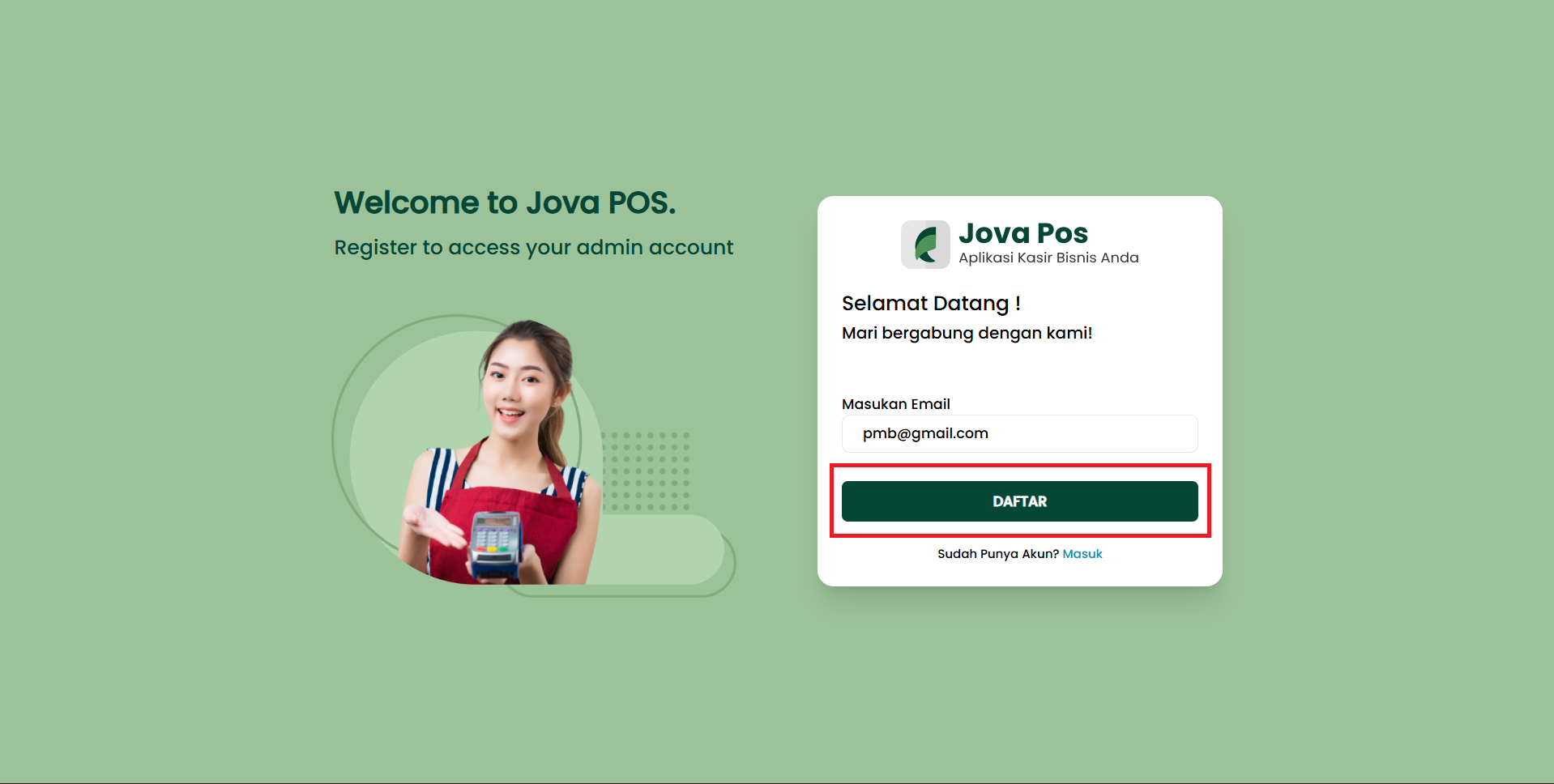
- Click the Don't Have an Account? Register text.
- Enter your Email.
- Click the REGISTER button.
3) Fill in "Owner Information" Form
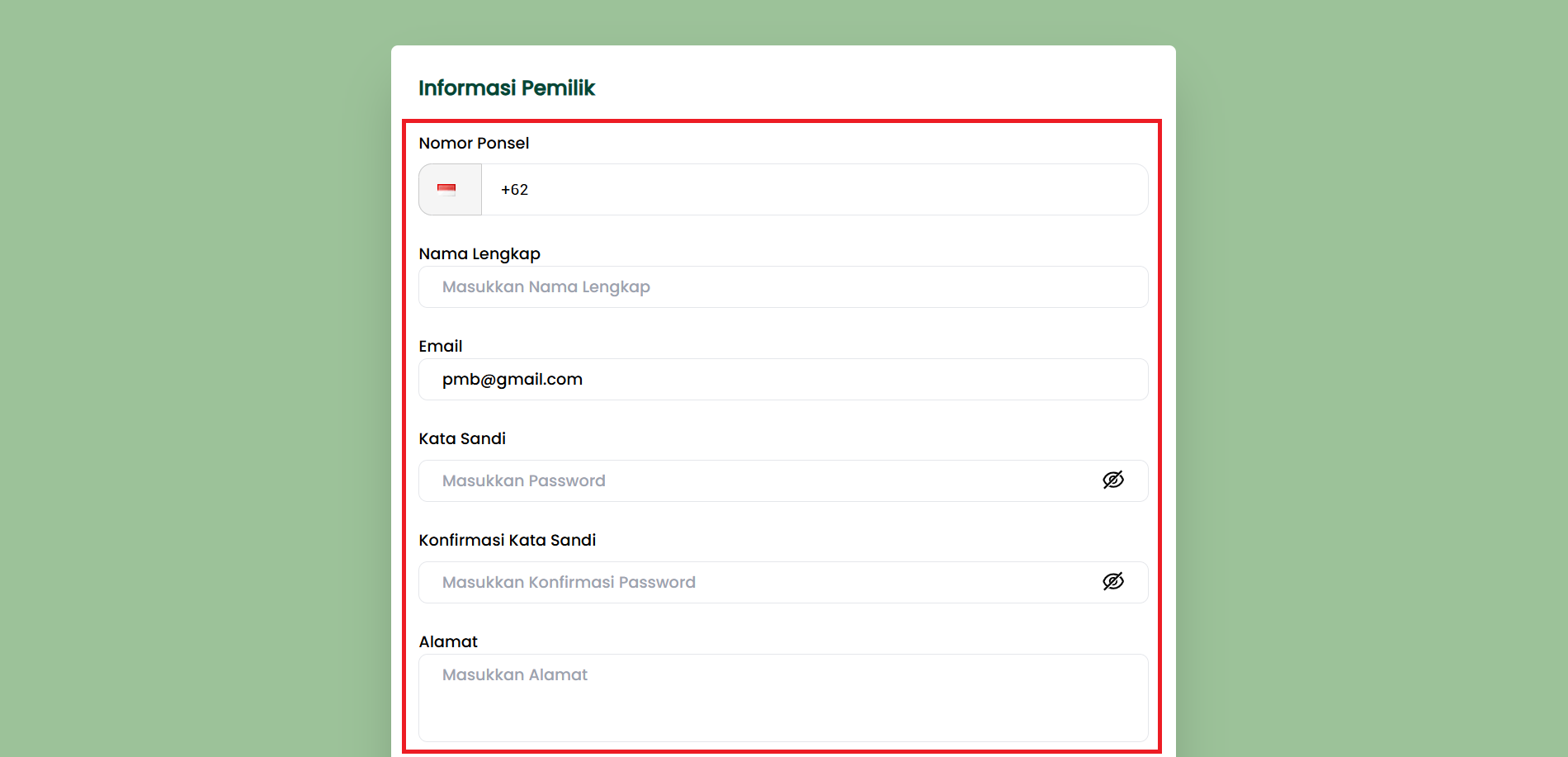
Complete the following data:
- Phone Number (default country code +62)
- Full Name
- Email: It is recommended to use an active email in case of password reset or invoice issues
- Password
- Confirm Password
- Address
4) Fill in "Project Information" Form
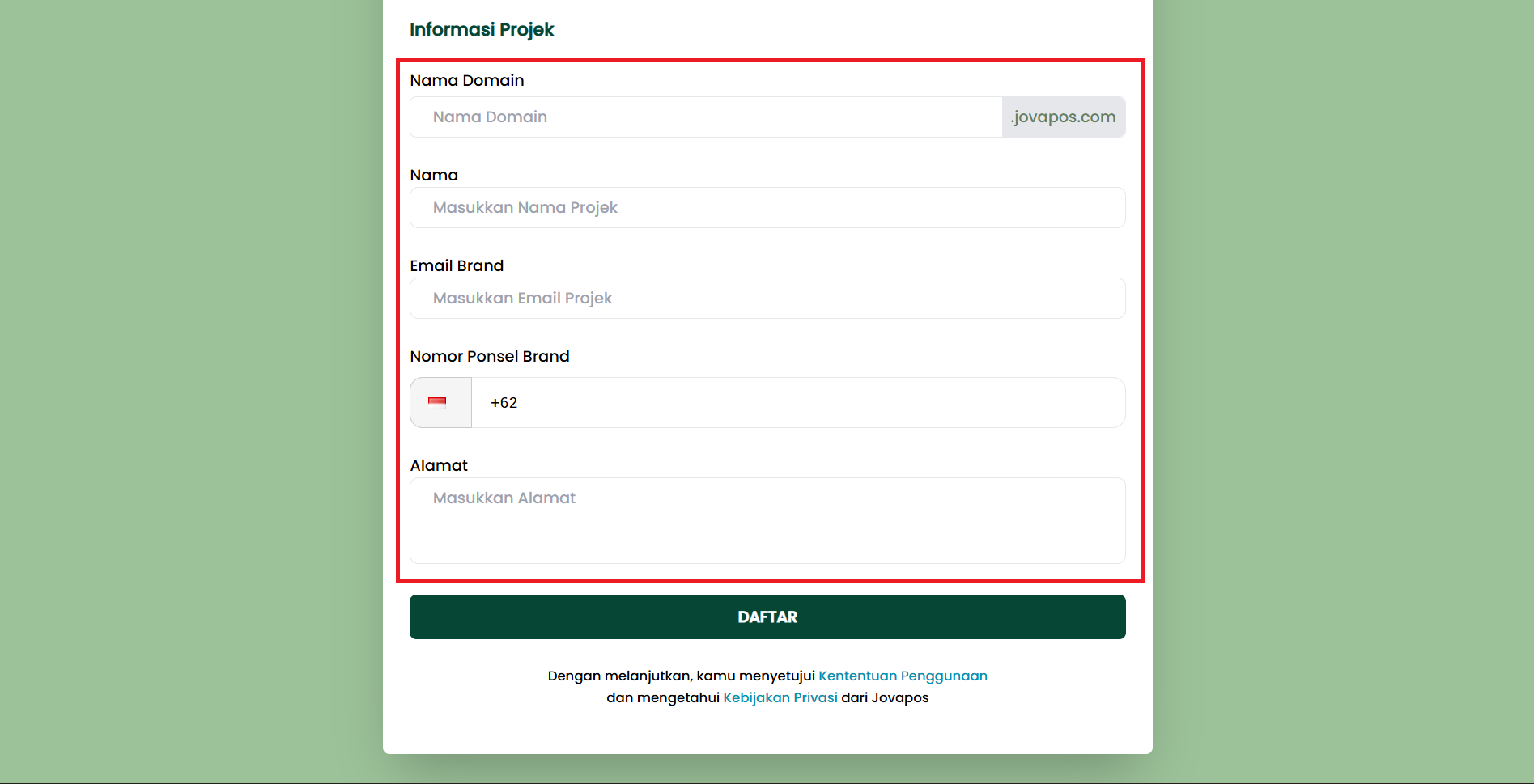
Complete the following data:
- Domain Name (without
.jovapos.com) - Name (Project Name)
- Brand Email
- Brand Phone Number
- Address
5) Submit Registration
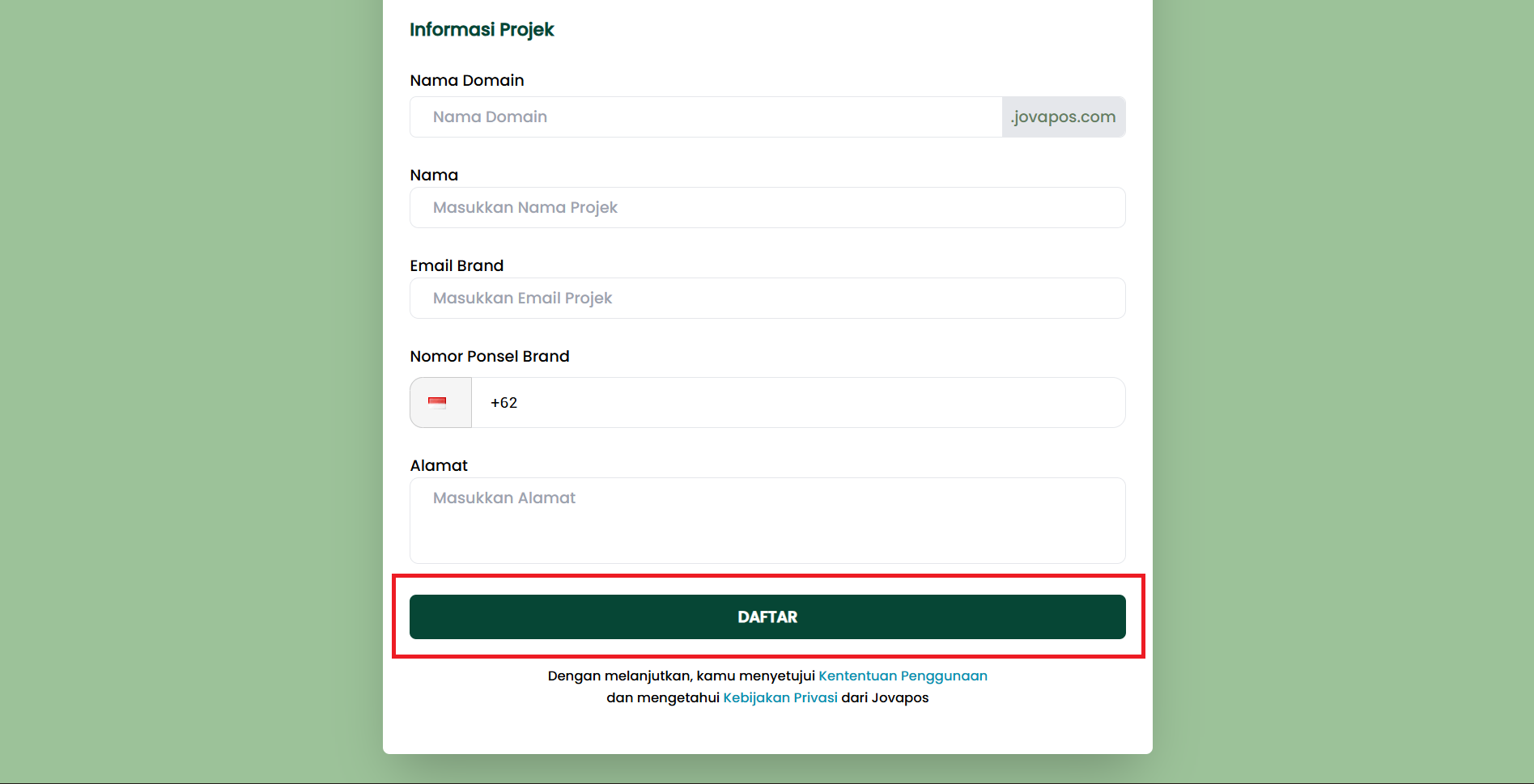
- Make sure all required fields are filled correctly.
- Click the REGISTER button (at the bottom).
- By continuing, you agree to the Terms of Service and Privacy Policy.